Smart IPTV apps have evolved dramatically in 2026. Viewers now expect seamless multi-playlist navigation, 4K HDR playback, catchup EPG replay, background recording, and universal provider compatibility across FireStick, Android TV, smart TVs, and mobile devices.
Here is our comprehensive hands-on benchmark of the top 5 smart IPTV players and navigators in 2026 tested on FireStick 4K Max, Nvidia Shield Pro, and Smart TV hardware.
 1. TiviMate IPTV Player — Best for Android TV Box Grid Layouts
Testing Notes: TiviMate remains the traditional gold standard for Android TV box users who want a classic cable-TV guide (EPG) grid layout with instant channel zapping and multi-screen quad view playback.
What We Liked:
- Smooth Grid EPG: Extremely responsive electronic program guide navigation with fast channel switching.
- Multi-View Quad Screen: Watch up to 4 live sports channels simultaneously.
What Could Be Improved:
- Android TV Exclusive: Restricted strictly to Android TV / FireStick; no iOS or Web versions available.
- Paid Premium Subscription: Free tier is severely limited.
Official Link: Visit TiviMate Official Website
 🏆 #2. NavipTV — The Best All-in-One Smart IPTV Navigator & Player
Testing Notes: NavipTV delivered exceptional performance during our multi-provider stream testing. Engineered with dual media playback engines (VLC Engine & EXO Engine), NavipTV handles live TV, VOD movies, series, catchup EPG replay, and background stream recording effortlessly.
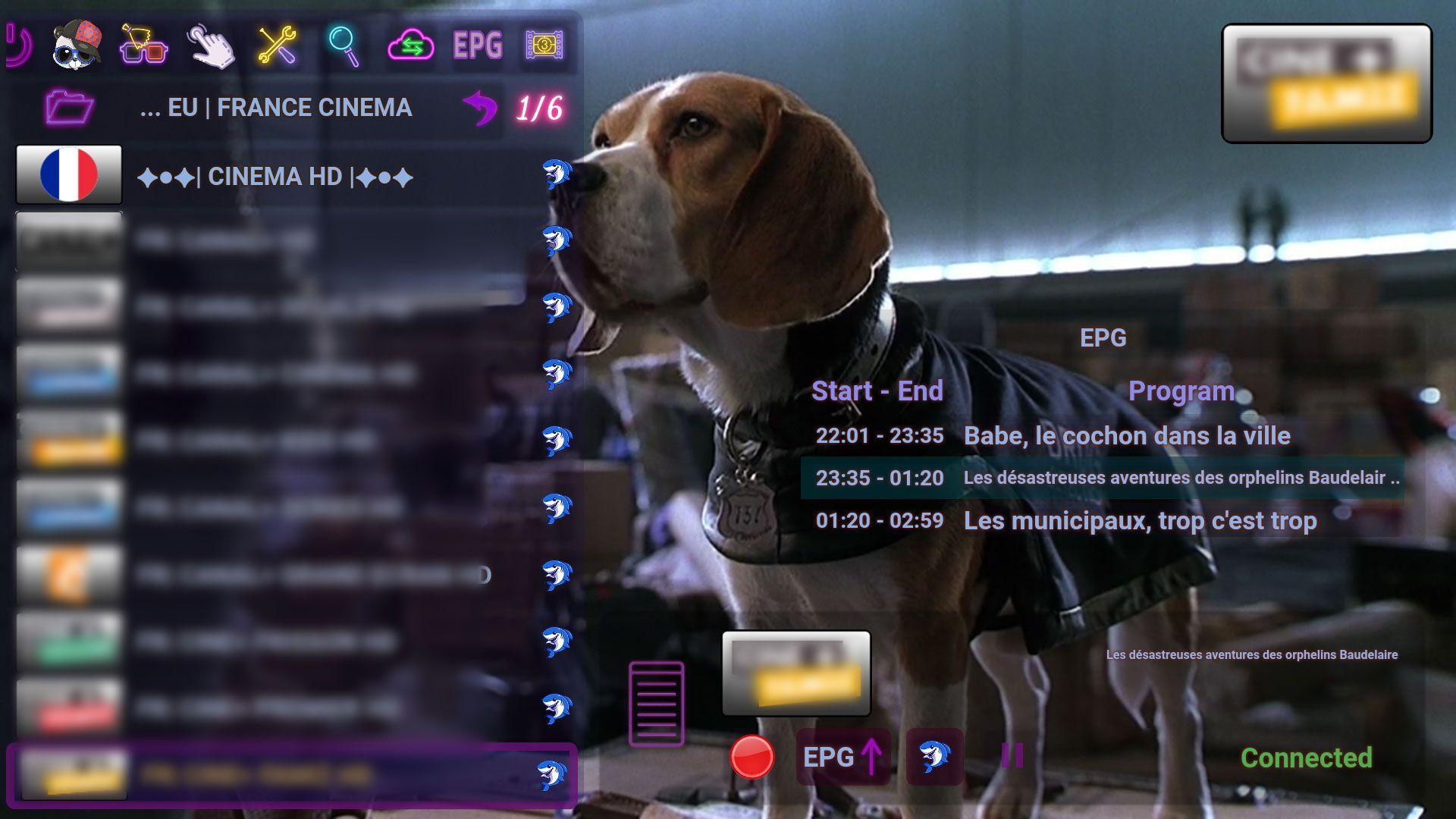
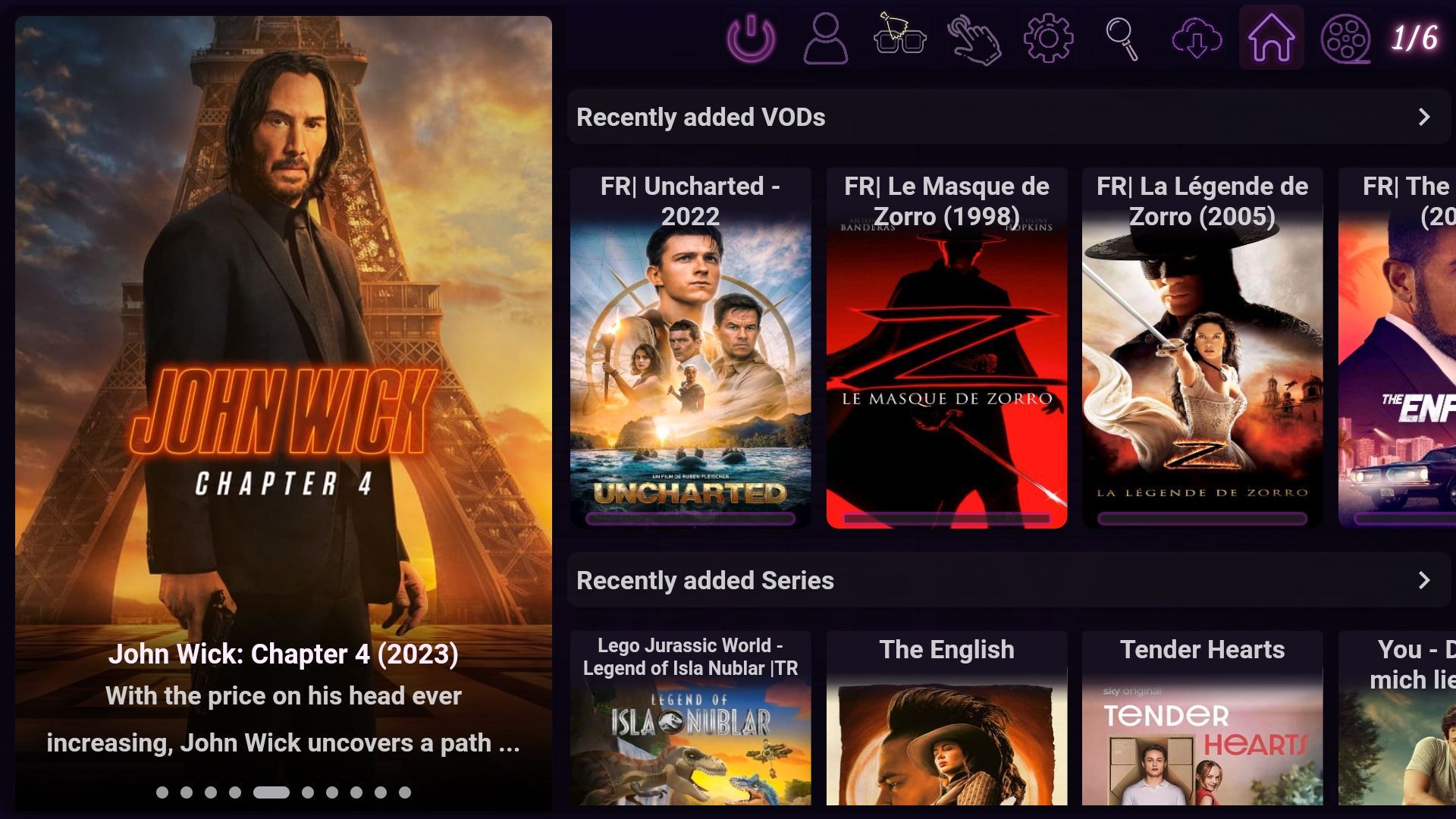
NavipTV's app screenshots (Live EPG Channel Guide & 4K VOD Series Player)
What We Liked:
- Universal Provider Compatibility: Supports HLS (M3U Plus), Xtream Codes API, MAC Portal, and Stalker Portal playlists.
- Dual Playback Engines (VLC + EXO): Native hardware acceleration for 4K HDR, Dolby Vision, and H.265 streams.
- Background Live Stream Recording: Schedule and record live sports or shows directly to local storage.
- Multi-Device Cross-Platform Support: Smooth performance on FireStick, Android TV, smartphones, and tablets.
- Family Protection & Parental Controls: PIN-protect specific channel groups or adult content easily.
What Could Be Improved:
- Initial EPG Sync: Large M3U playlists with over 50,000 channels require an initial 30-second parsing pass.
Official Website: Visit NavipTV Official Website | Get NavipTV on Google Play Store
 3. IPTV Smarters Pro — Popular Cross-Platform Media Player
Testing Notes: IPTV Smarters Pro is one of the most widely recognized IPTV applications across iOS, Android, Smart TVs, and Windows. It features a clean dashboard layout with separate VOD and Series sections.
What We Liked:
- Multi-User Profiles: Create separate stream profiles for family members.
- Cross-Platform Availability: Runs on iOS, Android, Smart TVs, and PC.
What Could Be Improved:
- Frequent Ads on Free Version: Banners and pop-ups disrupt navigation unless upgraded.
- Inconsistent Player Engine: High-bitrate 4K streams occasionally experience audio sync drift.
Official Link: Visit IPTV Smarters Pro Website
 4. GSE Smart IPTV — Best for Advanced Network Protocols
Testing Notes: GSE Smart IPTV is a advanced player supporting custom RTMP, HTTP, and RTSP stream protocols alongside traditional M3U playlists.
What We Liked:
- Extensive Protocol Support: Handles live streams, embedded playlists, and local media files.
- In-App Subtitle Manager: Custom subtitle font and offset controls.
What Could Be Improved:
- Dated User Interface: Interface feels complex for non-technical users.
Official Link: Visit GSE Smart IPTV Website
 5. XCIPTV Player — Minimalist Tile Dashboard Layout
Testing Notes: XCIPTV features a simple tile-based dashboard layout powered by ExoPlayer and VLC Player components for reliable playback on budget Android boxes.
What We Liked:
- Built-in VPN Support: Allows connecting OpenVPN directly inside the player app.
- Clean Dashboard: Easy navigation using standard TV remote controls.
What Could Be Improved:
- Slow EPG Parsing: Heavy EPG XML files take noticeable time to update.
Official Link: Visit XCIPTV Official Website
Grid 1: Features & Performance Comparison Matrix
| IPTV Player | Provider & Protocol Support | Playback Engine | Platform Support | Overall Rating |
|---|---|---|---|---|
| NavipTV | HLS, M3U Plus, Xtream Codes, MAC & Stalker Portal | Dual VLC + EXO Engines | FireStick, Android TV, Mobile, Tablet | |
| TiviMate | Xtream Codes & M3U Grid EPG | Android Native Player | Android TV & FireStick Only | |
| IPTV Smarters Pro | M3U & Xtream Codes API | Cross-Platform Dashboard | iOS, Android, Windows, Smart TV | |
| GSE Smart IPTV | RTMP, RTSP, HTTP, M3U | Custom Protocol Engine | iOS & Android | |
| XCIPTV Player | Xtream Codes API & Built-In OpenVPN | ExoPlayer & VLC Engine | Android TV & Boxes |
Grid 2: Pricing, Licensing & Business Model Breakdown
| IPTV Player | Free Tier Available | Premium License Price | Billing Model | Best Suited For |
|---|---|---|---|---|
| NavipTV | Yes (Full Playback) | $9.99 Lifetime Pass | One-Time / Flexible Pass | All-in-one multi-provider streaming |
| TiviMate | Limited 1 Playlist | $10.99 / year | Annual Subscription | Android TV cable grid layout |
| IPTV Smarters Pro | Yes (Ad-Supported) | $12.99 Premium | One-Time Purchase | Cross-platform family profiles |
| GSE Smart IPTV | Basic Mode | $5.99 Pro | One-Time License | Advanced RTMP/RTSP network streams |
| XCIPTV Player | Yes (Ad-Supported) | Free / In-App Upgrade | Ad-Supported / One-Time | Budget Android boxes & OpenVPN |
Community Discussion (4)
Leave a Comment
You must be signed in to leave a comment on this article.